Quick answer
Use a built-in total-runtime display or an accessory confirmed for your engine. Distinguish RPM, session time and total hours. Record the baseline, completed service dates and next deadlines from the exact manual. Calendar limits still apply with few operating hours, and a meter reading does not prove completed maintenance.
Read the units before recording the number
RPM means revolutions per minute. A number displayed as engine speed is not an accumulated service clock, and it should not be copied into the hour column. Look for the units or mode described in the display instructions. Some multifunction meters change what they show when the engine stops; others cycle through several values.
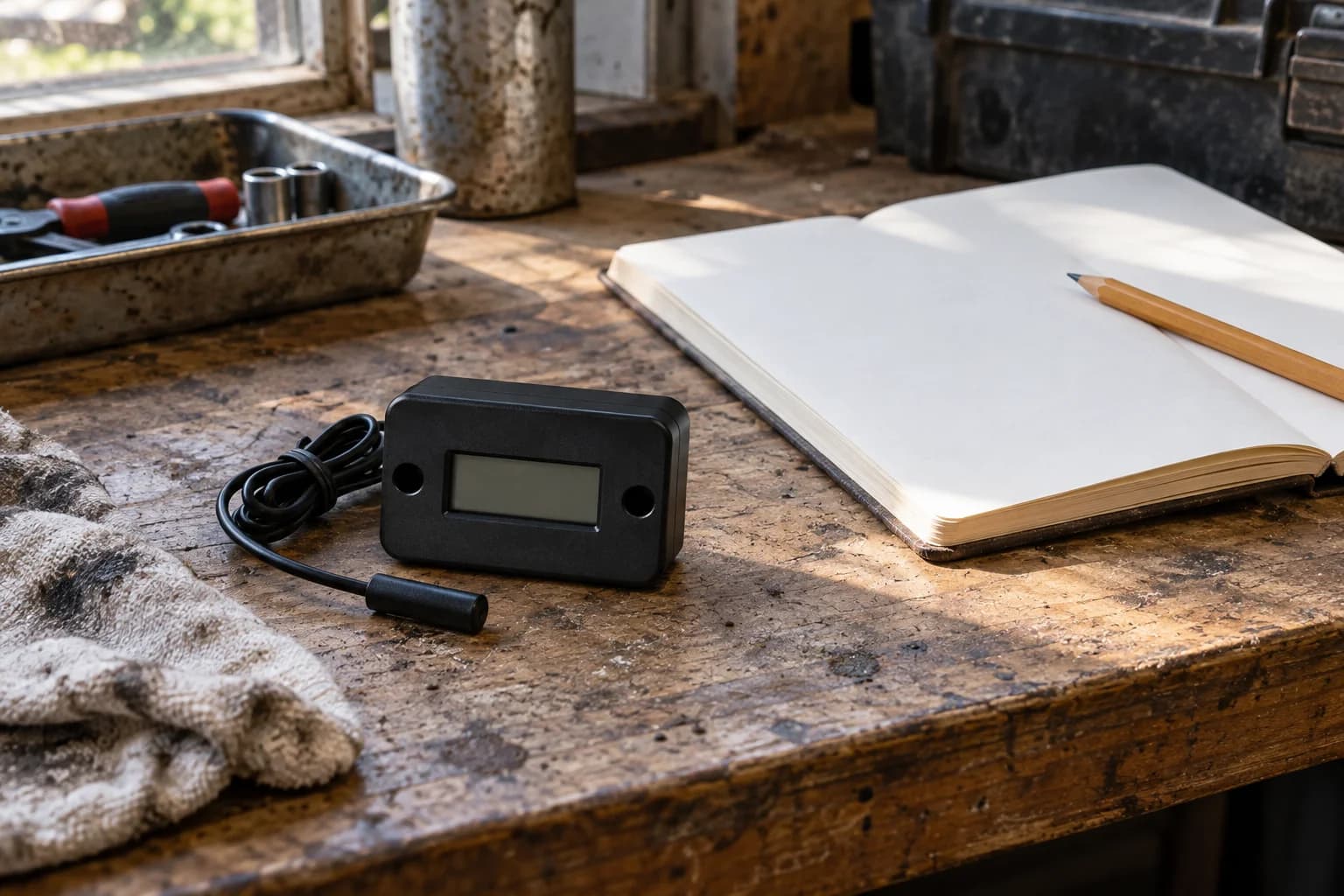
Honda’s generator accessory catalog, page 5-9, identifies hour-meter kit 08181-ENM-036AH as self-powered, with RPM displayed during operation and hours displayed when the engine is off. The catalog describes it for Honda-powered products. That is a manufacturer example, not evidence that every similar meter behaves the same way or fits every ignition system.
Also distinguish current-session runtime from total runtime. Champion 201153’s Intelligauge description separates those modes. A session value is useful for a trip log, but maintenance accumulated across several sessions needs the total or a correctly maintained sum.
Choose the device from the engine and instructions
Check whether the generator already retains readable total hours. If you need an accessory, identify the engine model, ignition arrangement, meter part number and permitted installation before comparing features.
Ask how the device detects operation, whether it needs external power, which configuration is required and what happens when its power source is exhausted. Check the mounting environment, display resolution, reset behavior and replacement policy. A generic claim that it works on small engines does not answer every installation question.
| Selection question | Why it matters | Record |
|---|---|---|
| Supported engine/ignition | The meter must recognize the intended signal | Exact engine and accessory approval |
| Display modes | RPM, trip time and total hours serve different tasks | Mode and units to copy |
| Counting configuration | Required setup can affect the reading | Published setting or fixed configuration |
| Power and memory | Battery or meter replacement can interrupt the log | Retention and replacement instructions |
| Mounting and routing | Heat, movement and access affect installation | Approved location and lead route |
Give a newly fitted meter an honest baseline
Stop the generator and follow the applicable service preparation before installation. Use the accessory’s mounting and sensing-lead instructions. This guide supplies no universal wire-wrap count, ignition setting or electrical connection. Do not splice generator wiring or interfere with factory safety systems to obtain a signal.
Record installation date, meter reading and the best supported engine-hour history. If the engine previously accumulated a documented 100 hours and the new meter starts at zero, write “100 engine hours at installation; meter 0.” Future estimated engine total then equals that baseline plus the meter increase, assuming the device counts correctly and no operation is missed.
If the previous hours are unknown, write “prior engine hours unknown.” An estimate based on occasional recollection is not a measured baseline. Establish the necessary service condition with the manufacturer or service provider, and keep future service entries tied to the new clock without claiming it represents the engine’s entire life.
Worked service log: 100 hours to a 150-hour deadline
This example illustrates arithmetic only. Suppose a particular service task was completed at an established engine-total reading of 100 hours, and the applicable task interval in your own manual is 50 hours. The next hour deadline is 100 + 50 = 150 hours. At a current reading of 137 hours, 37 hours have elapsed and 13 remain to the hour deadline. The assumed 50-hour interval is not a universal generator maintenance recommendation.
The baseline in this example is the last completed service reading. Keep it separate from any offset used after installing a new meter. If a replacement meter shows 37 hours and the documented engine baseline at its installation was 100, the calculated engine total is 137. Label both numbers so another operator does not mistake 37 for the engine’s lifetime use.
Enter any calendar deadline alongside the hour deadline. A passed date means the task is due despite the 13 remaining hours. Another 20-hour run also crosses this illustrative threshold; plan service within the permitted interval.
| Log field | Example value | Meaning |
|---|---|---|
| Last completed service | 100 engine-total hours | Supported baseline for this task |
| Assumed task interval | 50 hours | Illustration only; copy your manual |
| Next hour deadline | 150 engine-total hours | 100 + 50 |
| Current engine total | 137 hours | 37 hours since service |
| Hour allowance remaining | 13 hours | 150 − 137, subject to date limit |
| Calendar deadline | Actual manual-based date | Check independently of hours |
Give each task its own clock and date
Oil checks, first service, recurring oil changes, filter work and other engine tasks need separate entries. Completing one does not reset all the others. Copy the task name, interval, calendar condition and any severe-use note from the current manual. Where a schedule says hours or a date period, apply whichever comes first.
A total-hours display cannot account for an earlier calendar deadline unless you record the date as well. Nor does it authorize extending an interval because eco mode was on or the generator was lightly loaded. Review the manual’s conditions for heat, dust or heavy use and ask support how they apply if the schedule is unclear.
Confirm counting during a permitted operating check
After installation, follow the manufacturer’s check in an approved outdoor operating location. Note the stopped-engine hour reading, the observed runtime and the reading afterward, allowing for the display’s stated resolution and update behavior. The purpose is to notice a meter that is not counting or is in the wrong mode, not to run an arbitrary long test.
If the reading is missing, inconsistent or difficult to interpret, consult the meter instructions and support. Preserve the last trustworthy entry. Record operation that occurred while the meter was unavailable, with its evidence and any uncertainty. Do not silently reset an existing log to match a new screen.
Hours become useful when paired with completed work
A useful entry has date, engine-total hours or clearly labeled meter hours, task performed, material or part used, and the next deadline. Keep receipts and any service-provider record. Record a replaced meter’s final reading and the new meter’s opening reading together so the history remains continuous.
When reviewing a used generator, check the display’s age and ask whether it was changed. A low reading is only one piece of evidence. It does not prove light lifetime use, good storage or completed oil changes. The maintenance checklist and used-generator buying checklist provide the wider inspection record; an hour meter supplies the clock, while the log shows what was actually done.
Frequently asked questions
Common questions
Does a generator tachometer also count operating hours?
Some devices do, but check the exact display modes. Honda’s listed 08181-ENM-036AH shows RPM while running and hours when stopped. RPM alone is engine speed.
Will any inductive hour meter work with my generator?
Confirm engine and ignition compatibility, counting configuration, mounting and lead-routing instructions. Do not assume a similar-looking device has the same requirements.
Can I install a zero-hour meter on an older generator?
An approved meter can start a future record, but document its installation reading and the supported engine-hour baseline. If earlier use is unknown, keep that uncertainty explicit.
Do operating hours replace annual maintenance?
No. Keep calendar deadlines and task-specific conditions from the manual alongside hour limits. A calendar task may be due before the hour threshold is reached.
How many service hours remain at 137 if the next service is at 150?
The hour difference is 13. Check the calendar deadline and applicable conditions too. The 150-hour deadline must come from your own service record and manual, not from a universal interval.
Primary references
CordFind summarizes connector specifications and public safety guidance. Always follow the instructions supplied with your equipment.
- Honda: Generator Accessories Catalog, Hour Meter 08181-ENM-036AH, Page 5-9
- Champion: 201153 Operator Manual, Intelligauge Runtime Modes Page 14 and Maintenance Schedule Page 27